Medical Practice Marketing Software: A Buyer's Checklist
Shopping for medical practice marketing software usually starts the same way: a demo request, a slick sales deck, and a dashboard full of charts that look impressive until you realize you can't tell which numbers are real patient activity and which are vanity metrics. The problem isn't a lack of options. It's a lack of criteria. Knowing how to choose marketing software for a medical practice starts with separating noise from requirements, not with another "top 10 tools" list.
This guide is a vendor-agnostic checklist, not a ranked list of tools. Nobody can honestly tell you the "best" medical marketing platform for your situation without knowing your specialty, your location count, your compliance exposure, and who's actually going to log in and use the thing. What this post can do is give you the questions to ask, in the order that matters, so you can compare healthcare marketing software for independent clinics or for a ten-location group with the same rigor a hospital system would apply to an RFP.
Who This Checklist Is For
There are really three different buyers hiding under one search term, and they need different things from a medical marketing platform:
- Independent or small-group practices - usually one or two locations, a lean front-desk or office-manager team, and a tight budget. Simplicity and clear reporting beat feature depth.
- Multi-location practices and medical groups - need consistent tracking and attribution across branches, often with different staff, different ad accounts, and sometimes different EHRs per site.
- Healthcare marketing agencies - buying or recommending software on behalf of multiple medical clients, which means the tool has to serve the agency's reporting workflow as much as the client's marketing goals.
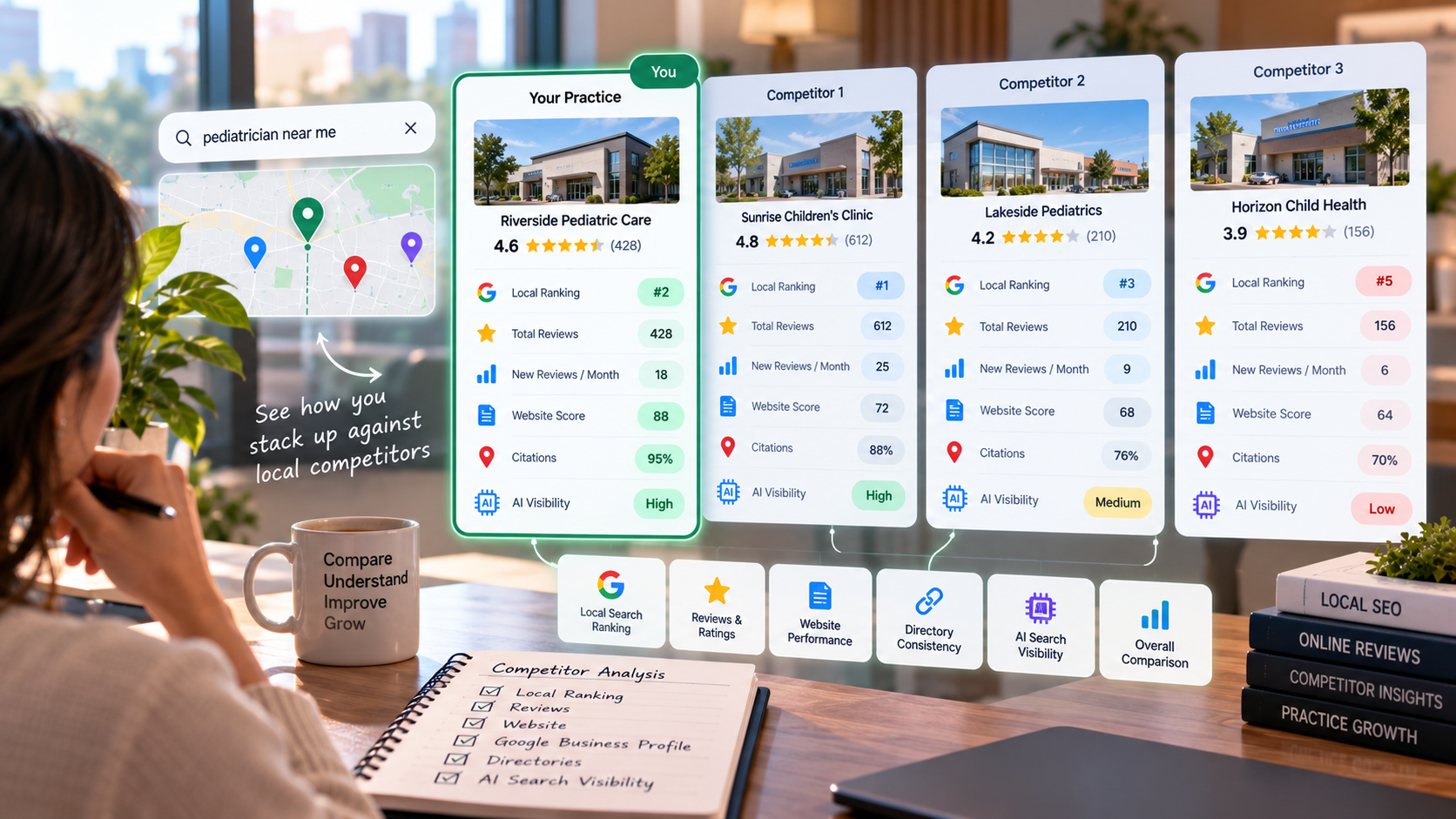
If you're not sure which bucket you're in, it's worth stepping back before you shop. A medical practice online visibility audit - looking at your current Google Business Profile standing, review signals, website findability, and how you show up in AI-driven search results - will tell you what's actually broken. Software bought to solve the wrong problem is the most common wasted spend in this category.
Step 1: Define the Job Before You Shop
Before requesting a single demo, write down what you're actually trying to fix. "We need healthcare marketing tools" is not a requirement; it's a feeling. A requirement looks more like:
- We can't tell which channels are producing new-patient calls versus no-shows.
- Our reviews are inconsistent across three locations and nobody owns responding to them.
- Our agency needs one dashboard to show all twelve clients instead of twelve logins.
- We don't know if we're even visible when someone asks an AI assistant to recommend a provider nearby.
Each of those points to a different category of medical practice software - attribution and call tracking, reputation management, agency reporting roll-ups, or visibility monitoring. Most platforms bundle several of these, but knowing your priority order keeps you from buying a bloated suite because of one feature you'll barely touch.
Step 2: The Core Feature Checklist
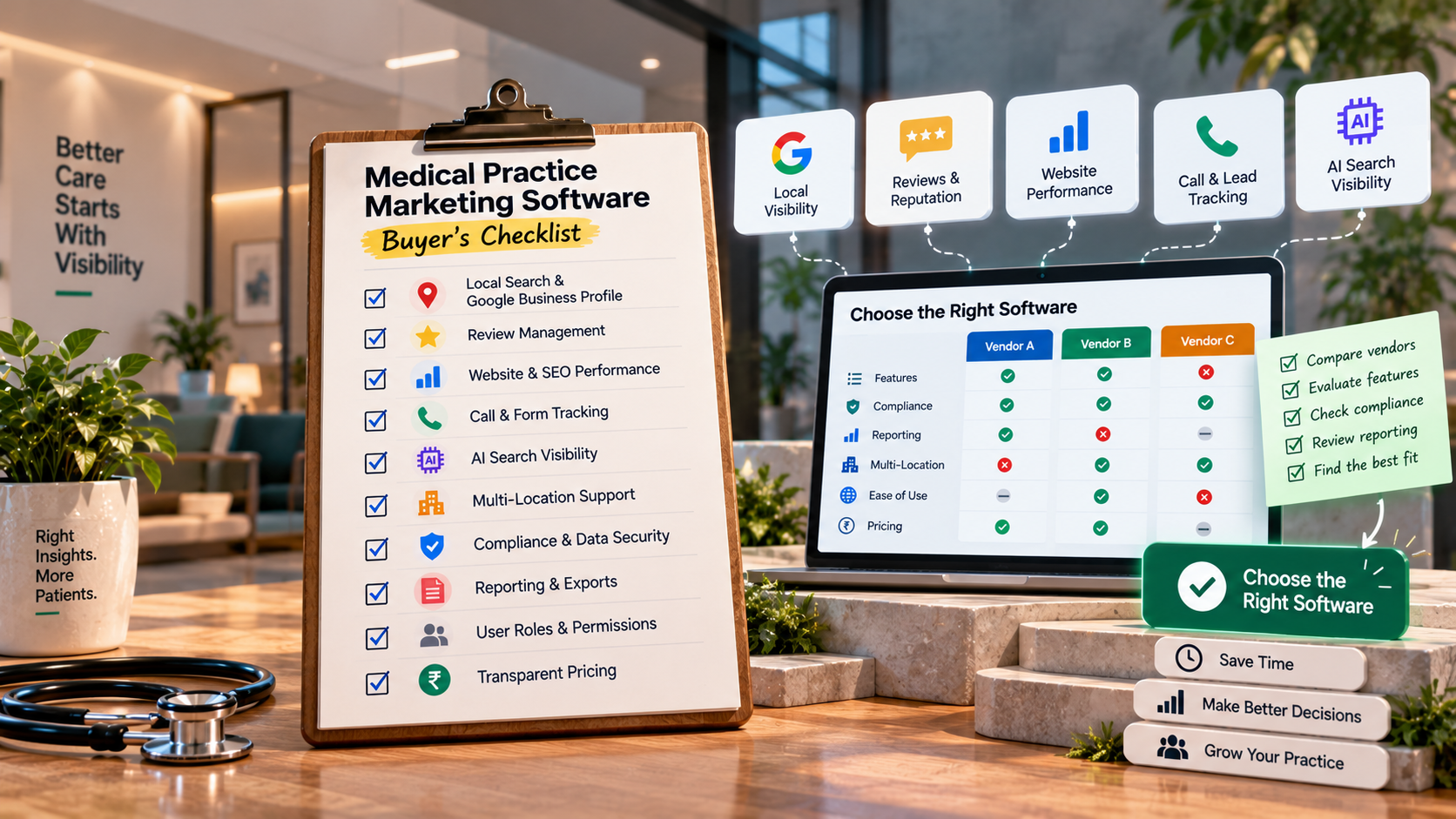
Whatever vendor you're evaluating, these are the baseline capabilities worth scoring, regardless of how the sales team brands them:
- Google Business Profile and local search monitoring - tracks listing accuracy, ranking visibility, and review volume/sentiment across locations.
- Review management - request, monitor, and respond to reviews from one place, with an audit trail (useful if a review ever needs escalation).
- Website and content performance tracking - basic SEO visibility, not just raw traffic.
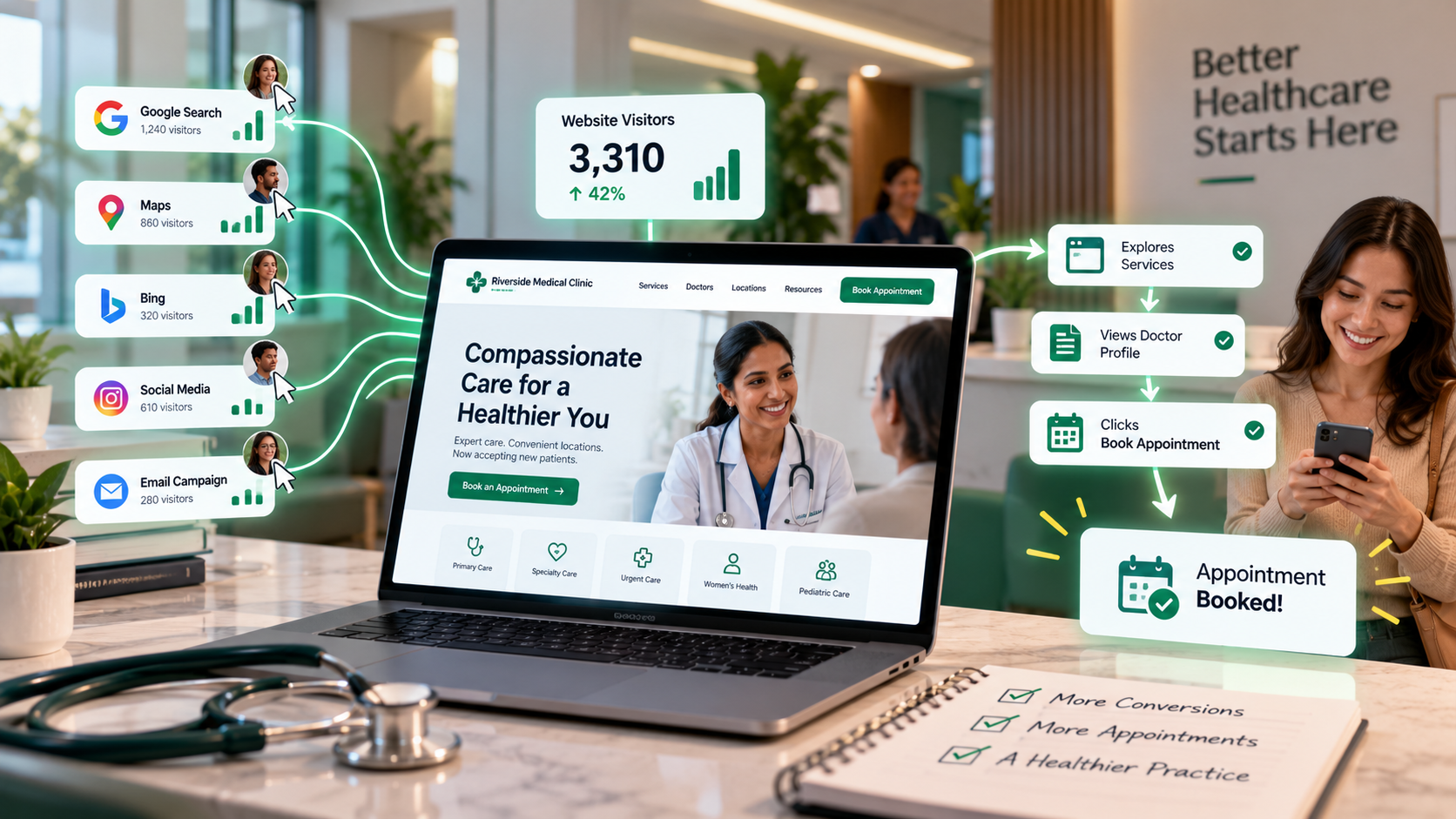
- Call and form tracking / attribution - so "which channel brought this patient" is answerable without guesswork.
- AI-assistant and answer-engine visibility - an increasingly relevant category as patients ask AI tools for provider recommendations, separate from traditional search rankings.
- Reporting cadence and export options - can it produce a report a non-marketer (a practice owner or office manager) can actually read?
- User roles and permissions - especially important once more than one person or location touches the account.
Treat this as a scorecard, not a pass/fail gate. A single-location dermatology practice may not need deep multi-location attribution; a 15-location urgent care group may not care much about a slick review-request widget if the underlying reporting can't be rolled up.
Step 3: Compliance and Data-Handling Criteria
This is the section buyers skip and later regret. Marketing software for a medical practice often touches data that's at least PHI-adjacent - call recordings, patient contact forms, CRM entries tied to real patient names and phone numbers. That has real compliance implications.
The concrete checklist items:
- Does the vendor sign a Business Associate Agreement (BAA)? If a tool stores or processes anything that could be considered protected health information, a BAA should be in place before any data flows to the vendor, as outlined in HIPAA compliance guidance for marketing agencies (Accountable HQ, HIPAA Compliance Guide for Healthcare Marketing Agencies). If a sales rep hesitates or says "we've never been asked that," treat it as a red flag, not a technicality.
- What does the BAA actually cover? A BAA needs to specify permitted uses of data, required safeguards, breach notification timelines, and how the obligation flows down to any subcontractors the vendor uses (HIPAA Journal, HIPAA Business Associate Agreement - 2026 Update). Ask to see the actual document, not a marketing summary of it.
- Where is data stored and for how long? Get specifics on retention and deletion, not a vague "industry-standard security" answer.
- Who has access on the vendor's side? Particularly relevant for call recordings and chat transcripts that might include clinical detail patients volunteer unprompted.
None of this replaces your own compliance or legal review - treat it as the floor of your checklist, not the ceiling, and loop in whoever handles HIPAA compliance at your practice before signing anything.
Step 4: Reporting Depth - Especially If You're an Agency
"Reporting" means something very different depending on who's buying. For a solo practice owner, a monthly one-page summary might be plenty. For an agency managing a roster of medical clients, reporting is the product the client actually sees - and weak reporting is often the real reason agencies churn through software vendors. This is where healthcare marketing reporting tools for agencies diverge sharply from single-practice software, and it's worth evaluating them as a separate category rather than assuming a practice-level tool will scale.
If you're buying on behalf of clients, look specifically for:
- White-labeling or client-branded reporting, so the output looks like your agency's work, not a reseller badge slapped on someone else's tool.
- Multi-client dashboards that don't require twelve separate logins.
- Automated report scheduling, so delivery doesn't depend on someone manually exporting a PDF every month.
- Benchmarking that's honest about data limitations rather than implying guaranteed outcomes.
This is detailed enough territory that it deserves its own evaluation pass - a closer look at reporting tools built specifically for agencies managing multiple medical clients covers the comparison criteria in more depth than fits here. And if client-facing deliverables matter to your agency's positioning, it's worth reading specifically about what to look for in white-label visibility reporting before you commit to a platform, since not every tool that claims "white-label" actually lets you remove its own branding everywhere a client might see it.
The best healthcare marketing reporting software for small practices tends to look almost nothing like the best option for a 40-client agency - small practices need clarity and simplicity in a single report; agencies need scale, consistency across clients, and a workflow that doesn't eat an analyst's entire week every month.
Step 5: Multi-Location Considerations
Multi-location practices run into a specific, well-documented set of reporting problems: fragmented ad accounts and analytics properties per location, patient attribution that breaks down the moment someone calls one branch after seeing an ad tied to another, and inconsistent metric definitions from one location's staff to the next (Improvado, Multi-Location Healthcare Marketing Analytics, 2026 Guide). Software that looks clean in a single-location demo can fall apart once you add location filters and compare branch to branch.
Before buying medical marketing software for multi-location practices, ask the vendor to show you, live, a report comparing two or more locations side by side - not a mockup. Check whether:
- Location-level data rolls up into one consistent view without manual reconciliation.
- Each location can have its own Google Business Profile tracked separately while still appearing in a combined report.
- Permissions let a regional manager see their locations without exposing data from the whole group (or vice versa, if you want full visibility at the top).
Step 6: Independent Clinic Considerations
If you're a single-location or two-location practice, resist the pull toward an enterprise platform built for health systems. The signs you're looking at the wrong tier of medical practice marketing software:
- The demo spends most of its time on features (API access, custom integrations, enterprise SSO) you'll never touch.
- Pricing requires a sales call rather than a published or quickly quotable range.
- Onboarding assumes a dedicated marketing staffer exists on your side, when in reality it'll be a front-office manager checking in once a week.
For independent clinics, the honest evaluation question isn't "what's the most powerful tool" - it's "what can my team actually keep up with." A platform nobody logs into after month two isn't cheaper just because it was free to set up.
Step 7: A Simple Scoring Rubric
Borrowing from how healthcare organizations structure formal RFPs - weighting compliance and certifications, integration fit, security, and support alongside cost (Responsive, Everything You Need to Know About Healthcare RFPs) - you can build a lightweight version for a software buying decision without running a full procurement process. Score each vendor 1–5 on:
- Compliance (BAA availability and terms)
- Feature fit for your specific needs from Step 1
- Reporting clarity and, if relevant, agency/white-label capability
- Multi-location handling, if applicable
- Implementation effort and realistic onboarding time
- Support responsiveness (test this during the sales process, not after signing)
- Total cost versus your actual budget, including setup fees
Weight the categories that matter most to your situation and multiply rather than just averaging - a vendor that fails compliance should drop out regardless of how it scores everywhere else.
Step 8: Questions to Ask Every Vendor Directly
- "Will you sign a BAA, and can I review the actual document before purchase?"
- "Can you show me a real multi-location report, not a single-location demo?"
- "What does reporting look like for an agency managing multiple client accounts?"
- "What happens to our data and historical reports if we cancel?"
- "Who do we call when something breaks, and what's the typical response time?"
A vendor's willingness to answer these clearly and specifically, rather than with marketing language, is itself useful signal. This same line of questioning is the core of healthcare agency software to monitor client visibility across many accounts at once - the agency version of this checklist just runs it once per client instead of once per practice.
Conclusion
There is no universal "best" medical marketing platform, and any article claiming otherwise is skipping the part where your specialty, location count, budget, and in-house capacity all change the right answer. What does transfer across every situation is the discipline of this checklist: define the job first, treat compliance as non-negotiable, test reporting with real multi-location or multi-client data rather than a demo mockup, and ask vendors the blunt questions before you sign anything. A tool chosen this way earns its keep. One chosen off a glossy features page usually doesn't.
A recurring theme across every buyer type above is that software is only as useful as the visibility data feeding it. The Doc Mirror focuses specifically on that layer - auditing and tracking how a medical practice shows up across Google, patient reviews, and increasingly, AI-based assistants that patients now ask for provider recommendations. If you're not sure whether your current setup is actually catching what matters, checking your practice's online visibility is a reasonable first step before you even start vendor demos - it tends to clarify which checklist items above matter most for your situation.
Sources
- Responsive, "Everything You Need to Know About Healthcare RFPs" - https://www.responsive.io/blog/healthcare-rfp
- HIPAA Journal, "HIPAA Business Associate Agreement - 2026 Update" - https://www.hipaajournal.com/hipaa-business-associate-agreement/
- Accountable HQ, "HIPAA Compliance Guide for Healthcare Marketing Agencies" - https://www.accountablehq.com/post/hipaa-compliance-guide-for-healthcare-marketing-agencies
- Improvado, "Multi-Location Healthcare Marketing Analytics (2026 Guide)" - https://improvado.io/blog/multi-location-healthcare-marketing-analytics
Sources 1, 3, and 4 are industry/vendor commentary, cited as such and not as peer-reviewed or government research. Source 2, HIPAA Journal, is treated as a recognized compliance-industry authority on HIPAA specifics; HHS.gov would be the primary regulatory authority for any deeper BAA/HIPAA legal question beyond what's covered here.